Key Takeaways
- Popular session savers like Session Buddy haven't been meaningfully updated in years, and users report data loss after updates
- Only half of the 14 extensions offer cross-device sync — the #1 feature users request
- Workspace-style managers (Workona, Toby, Leap) solve a fundamentally different problem than session savers (OneTab, Session Buddy)
- Leap combines Arc Browser-style spaces, a vertical sidebar, saved tabs that stay after you close them, and cloud sync — completely free
I've been testing Chrome tab managers obsessively for the past year. First as a user drowning in 60+ tabs across three freelance clients, then as the developer who built Leap because nothing else quite worked. This review covers 14 extensions I've used hands-on, with real data from Chrome Web Store reviews, feature comparisons, and honest takes on where each one shines and fails.
A quick note on bias: I built Leap, so obviously I think it's good. I've done my best to evaluate every extension on the same criteria. Where Leap falls short compared to a competitor, I'll say so.
What Actually Matters in a Tab Manager?
After reading thousands of Chrome Web Store reviews across all 14 extensions, the same five complaints surface over and over. These are the criteria that matter most to real users, and they're what I'll evaluate each extension against.
Reliability. The #1 complaint across OneTab, Workona, TABLERONE, and Tabs Outliner is the same: data loss. Tabs disappearing after updates, sessions corrupted after crashes. If a tab manager loses your tabs, it has one job and it failed.
Cross-device sync. This is the most requested feature in reviews for extensions that don't have it (Session Buddy, TABLERONE). People want to open their work tabs on a different machine. Workona, Raindrop.io, and Leap offer full cloud sync, and OneTab has added optional end-to-end encrypted sync between devices.
Performance at scale. OneTab slows down noticeably past 1,000 saved tabs. TABLERONE crashes past 200. Tabs Outliner has bugs with large node trees. Heavy users consistently run into walls.
Active development. Tabs Outliner and Session Buddy receive infrequent updates. Users feel abandoned. Extensions that stop evolving become security risks under Manifest V3 changes.
Fair pricing. Toby switched from free to a 60-tab limit. Workona gates core features behind $7/month. Users despise bait-and-switch monetization.
What Are the Three Types of Tab Manager?
Not all tab managers solve the same problem. Understanding the category helps you pick the right tool.
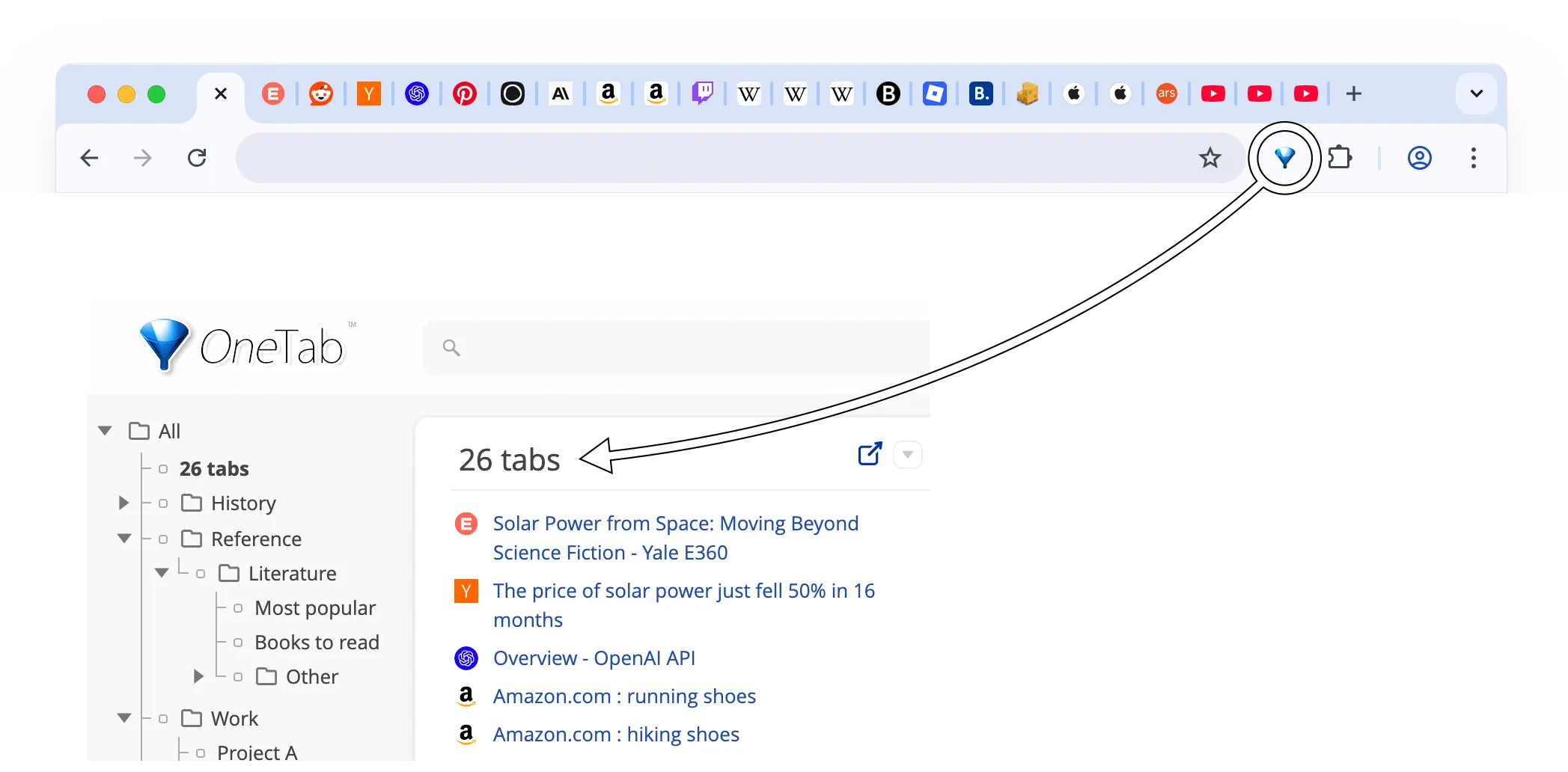
Session savers (OneTab, Session Buddy, TABLERONE, Tab Session Manager) convert your open tabs into a static list. You close them to save RAM, then restore them later. Great for “I have 80 tabs and my laptop is on fire.” Less great for daily workflow management.
Workspace managers (Workona, Toby, Leap, Side Space, GeekTabs) organize tabs into persistent groups or spaces. You switch between contexts — Work, Personal, Client A, Client B — without closing anything. Built for people who juggle multiple projects daily.
Bookmark enhancers (Raindrop.io, BrainTool) are really bookmark or knowledge management tools with tab-saving as a secondary feature. If your main need is organizing saved links across platforms, these fit. If you need to manage live browser tabs, they don't.
Which Are the Best Session Savers: OneTab, Session Buddy, TABLERONE, and Tab Session Manager?
OneTab — 2M+ Users
OneTab does one thing: click the icon, and every open tab collapses into a list. The Chrome Web Store shows 2 million+ users and a 4.4 rating, making it the most popular tab manager by a wide margin. Users consistently praise the RAM savings — multiple reviews report drops from 2.7 GB to 500 MB after converting tabs.
The problems start when your saved list grows. Reviews report significant slowdowns past 1,000 tabs, and multiple users describe losing all saved tabs after Chrome updates. OneTab has since been rewritten: it now has folders and groups, search, and optional end-to-end encrypted sync between devices. It is still a list on a separate page, though — no spaces, no sidebar, no pinned sites.
Best for: People who occasionally need to dump all tabs and restore them later. If you treat tabs as temporary, OneTab is fine. If you want ongoing organization, it's not the right tool — see how a sidebar with spaces compares to OneTab.
Session Buddy — 1M+ Users
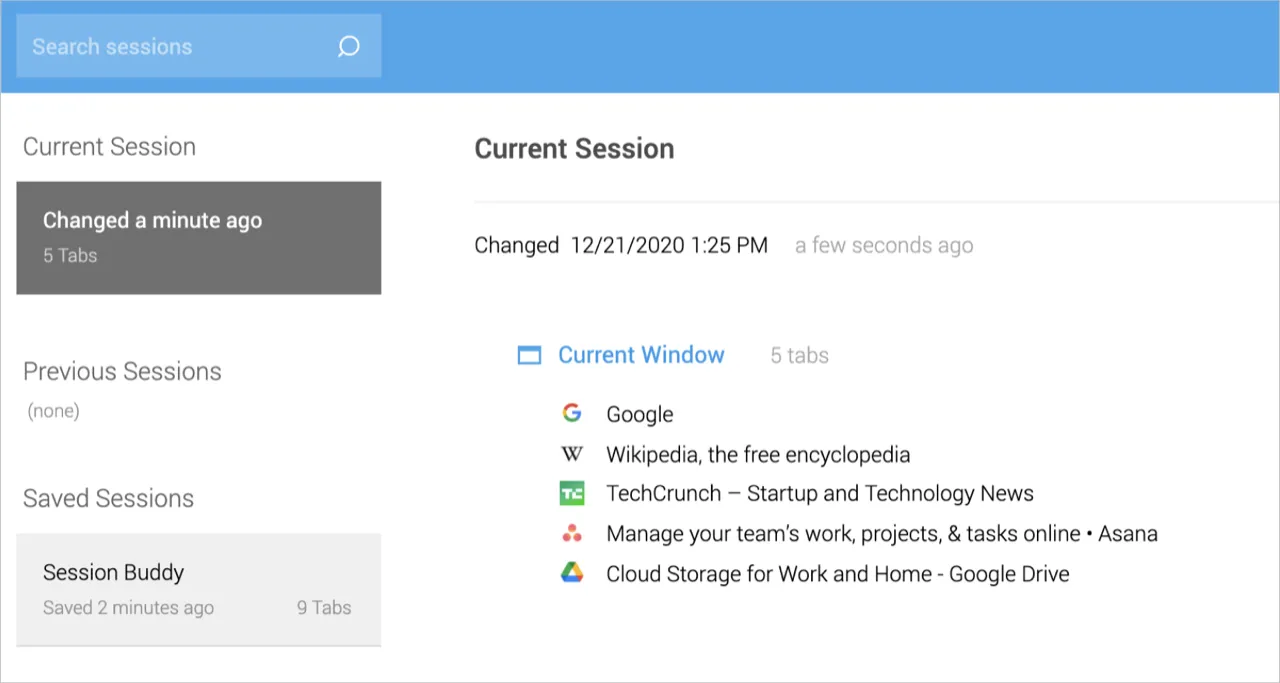
Session Buddy is the crash recovery champion. With 1 million+ users and the highest rating in this category (4.7), it's the extension people install after losing 800 tabs to a Chrome crash. It saves browser sessions automatically and lets you restore specific windows or tab groups.
The limitation is scope — Session Buddy is reactive, not proactive. It saves what you had, but doesn't help you organize what you're doing. No sync across devices, no spaces or workspaces, no folder structure. Several reviews mention instability after recent Chrome updates.
Best for: Heavy tab users (500+ tabs) who need crash insurance. If you've ever lost a day's research to a Chrome crash, Session Buddy is worth installing alongside whatever else you use.
TABLERONE — 20K Users
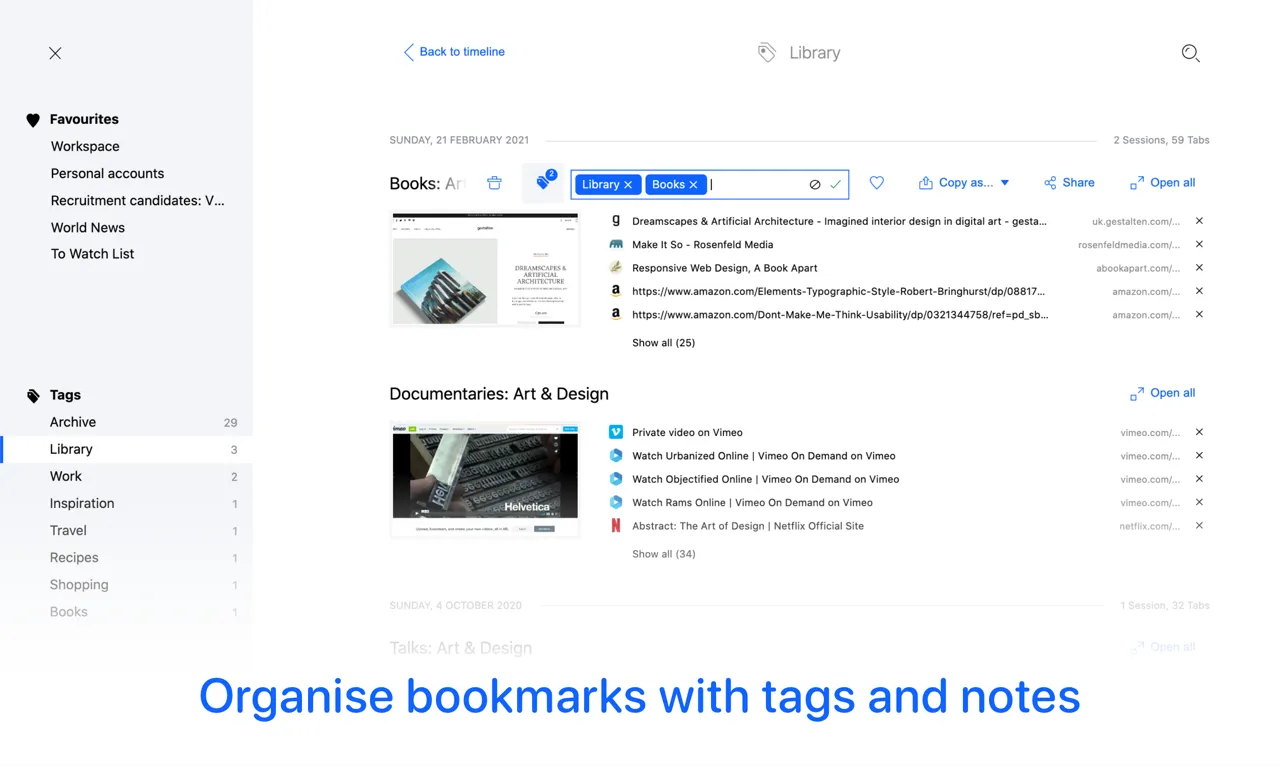
TABLERONE has the best visual design of any session manager I've tested. It replaces your new tab page with a clean dashboard of saved sessions, supports tags and notes, and exports to Markdown, HTML, JSON, and plain text. It's completely free (funded by donations) and doesn't require an account — everything stays local.
The trade-off is reliability at scale. Reviews report crashes and data loss with 200+ tabs, and updates are infrequent. The privacy-first approach means no sync — your sessions exist only on the machine where you saved them.
Best for: Privacy-conscious users who want beautiful session management and don't need sync. Keep your tab count under 200 and you'll probably love it.
Tab Session Manager — 50K+ Users
Tab Session Manager is open-source and offers something rare: cloud sync for sessions across browsers. It auto-saves at configurable intervals and supports import/export. Long-time users report years of stable operation, even with 1,000+ tabs.
The downside is inconsistency. Auto-save occasionally breaks, overwriting sessions unexpectedly. The interface feels dated. And some users report compatibility issues with newer Chromium-based browsers.
Best for: Open-source advocates who want cross-browser session sync and don't mind a utilitarian interface.
What Are the Best Workspace Managers: Workona, Toby, Side Space, GeekTabs, and Leap?
Workona — 200K+ Users
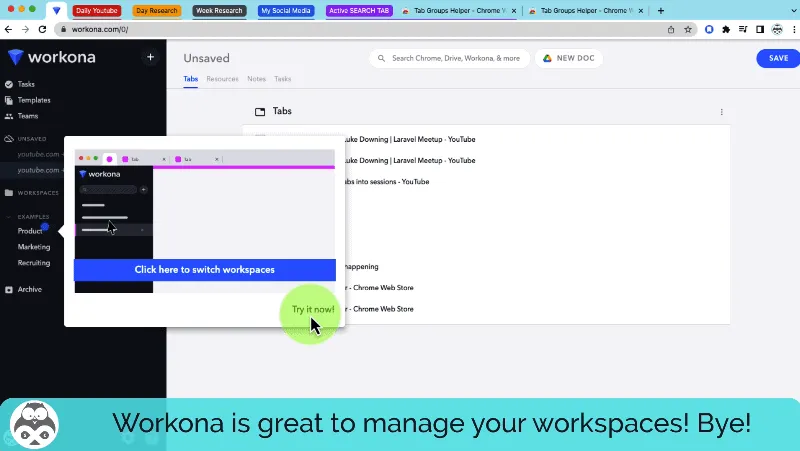
Workona is the most feature-rich workspace manager, with 200K+ users and a 4.6 rating. It offers true workspaces with team collaboration, integration with Google Drive, Slack, and Asana, and cross-device sync. For teams managing shared projects, it's the only real option.
The cost is complexity and price. Workona's free plan limits you to 5 workspaces. The Pro plan is $7/month — the most expensive option in this list. And the most damaging criticism from reviews: users report duplicated tabs, disappeared sessions, and unreliable sync. Firefox support is described as “completely broken” in multiple reviews.
Best for: Teams that need shared workspaces and integrations. Solo users will find it overbuilt and overpriced compared to simpler alternatives — here is a free Workona alternative for one person's spaces.
Toby — 200K+ Users
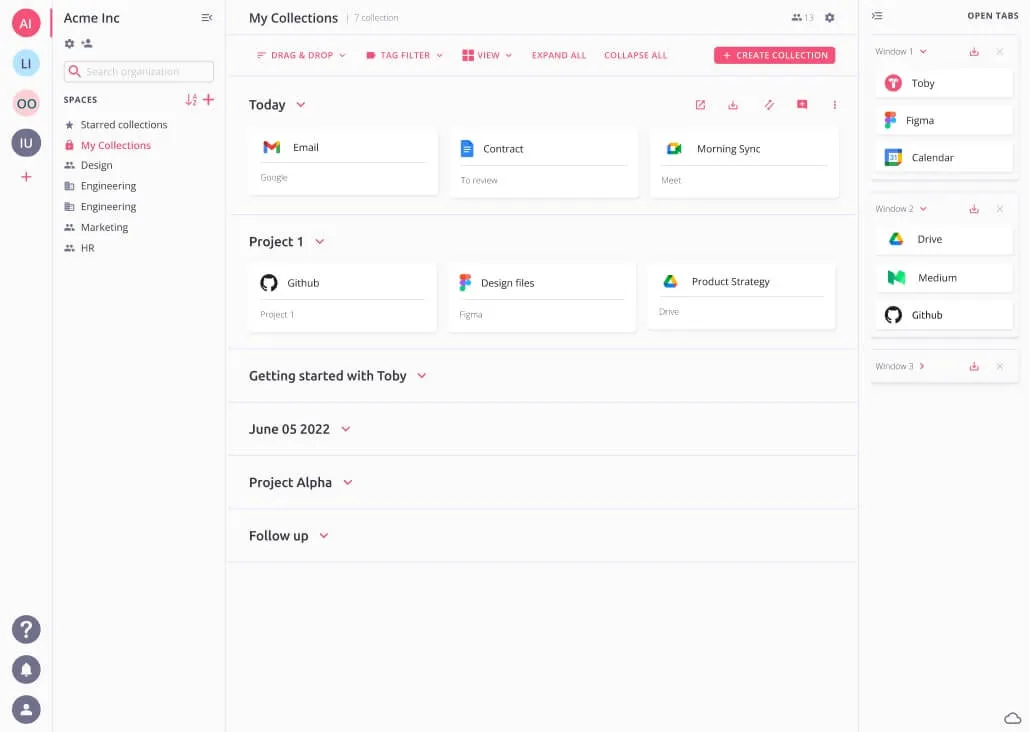
Toby replaces your new tab page with visual collections of saved tabs, organized by drag-and-drop. The 200K+ user base and 4.1 rating reflect a tool that many people loved — until the pricing changed. Toby originally offered unlimited free tabs, then introduced a 60-tab limit for free users and started charging per workspace.
Current reviews are dominated by pricing frustration. Users describe the switch as a bait-and-switch: “I organized hundreds of tabs over years, and now I can't access them without paying.” The 15-tag limit and lack of cloud backup add to the complaints. The visual collection concept is strong, but execution is undermined by monetization decisions.
Best for: Visual thinkers who want a pretty new-tab dashboard for tab collections and don't mind paying $4.50/month per workspace.
Side Space — 10K Users
Side Space is the closest direct competitor to Leap: vertical sidebar, spaces, cloud sync, and AI-powered tab grouping. The $39 lifetime price is attractive compared to monthly subscriptions. Users praise the modern UI and the generous free plan.
The AI grouping — Side Space's differentiator — is also its biggest weakness. Multiple reviews describe the AI creating incorrect groups, losing tabs when groups are deleted, and causing confusion rather than clarity. There are also reports of permission requests that feel overly broad and multi-window bugs that break the workspace model.
Best for: Users who want a sidebar workspace manager and prefer a one-time payment. Be prepared for AI grouping quirks and occasional data loss.
GeekTabs — 5K Users
GeekTabs offers hierarchical spaces and collections with drag-and-drop, bulk operations, and notes attached to individual tabs. It's free and takes an approach similar to Workona but without the team features or the complexity. The small user base (5K) means fewer reviews, but ratings are high (4.6).
Best for: Solo users who want a free, lightweight workspace manager with a hierarchy model. Limited track record makes it harder to assess long-term reliability.
Leap — New
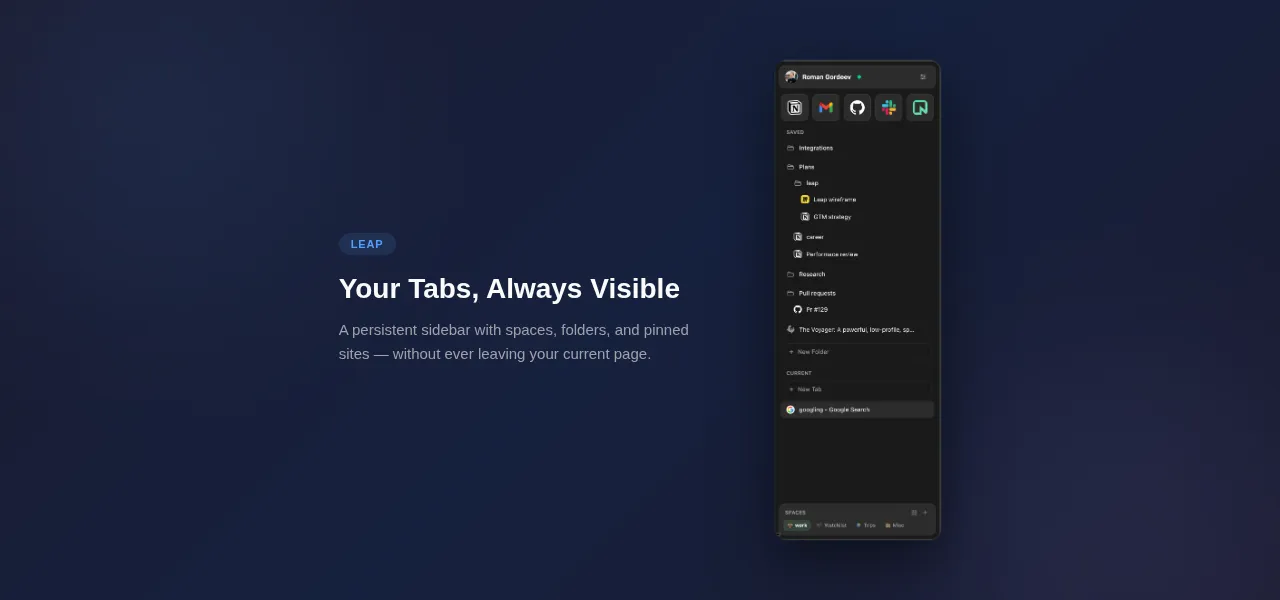
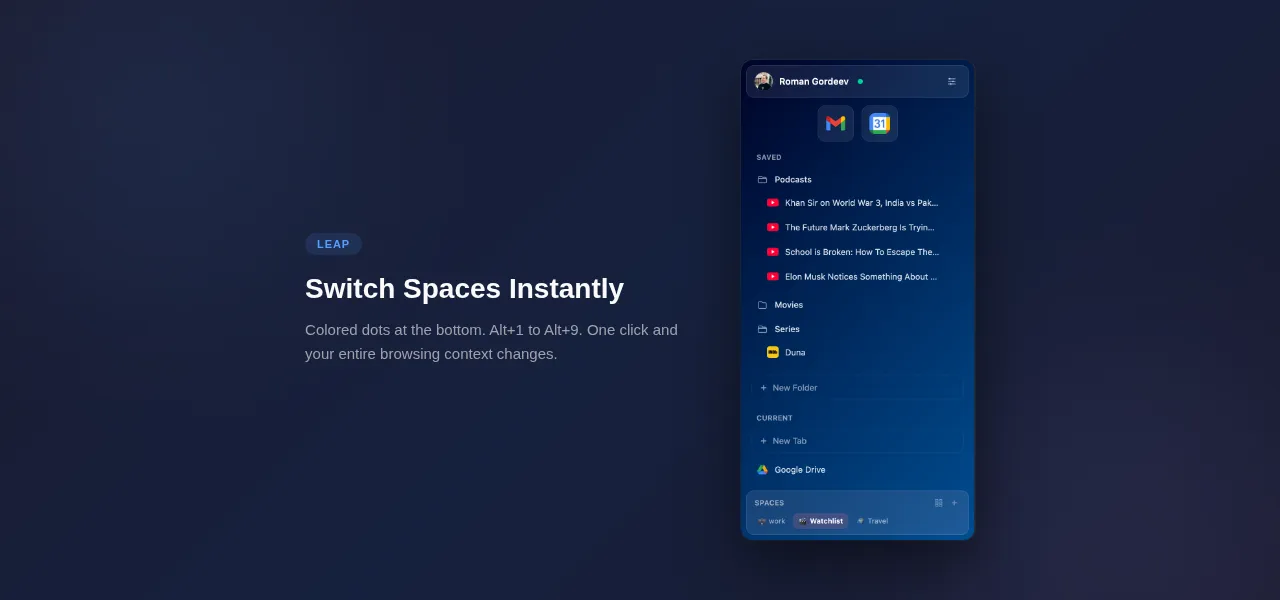
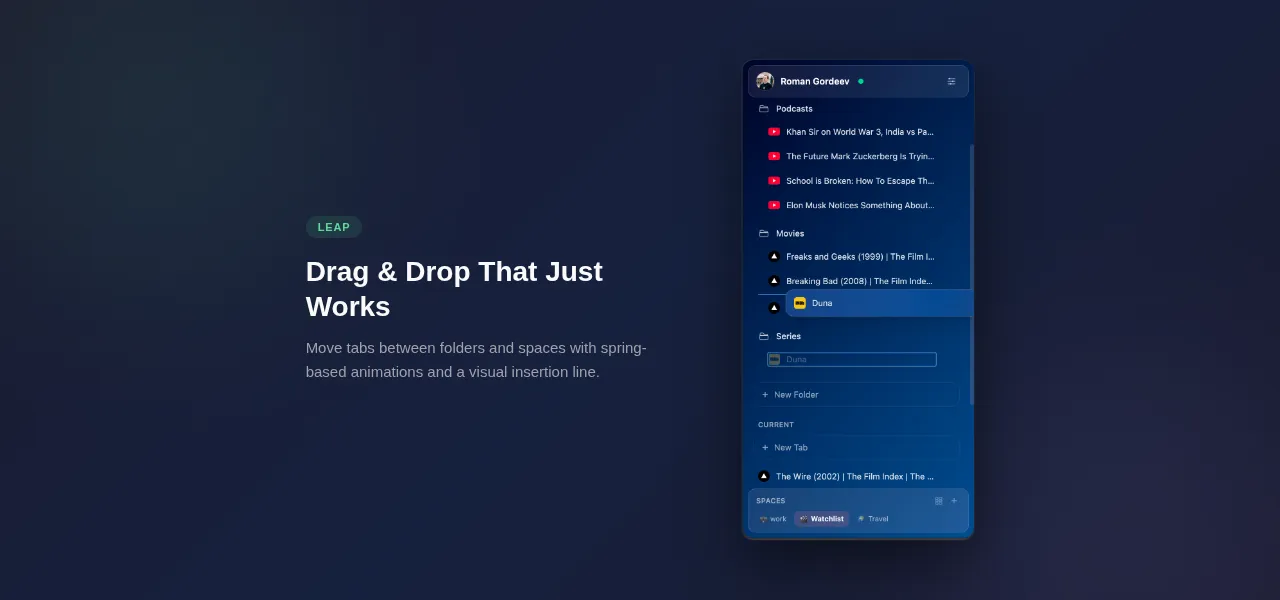
Leap puts an Arc Browser-style sidebar inside Chrome, with color-coded spaces, vertical tabs, nested folders (up to 3 levels), and pinned sites. It uses the Chrome Side Panel API, so it sits permanently alongside your page content — not in a popup that closes when you click away.
What sets it apart is that Leap saves tabs rather than just grouping them: put a tab into a space or folder, close it in Chrome, and it stays in the sidebar until you reopen it with one click. Cloud sync runs on a local-first architecture: every action updates instantly in the sidebar, then syncs to the server with conflict detection.
Leap is completely free — unlimited spaces, tabs, folders, and cloud sync, all included. It's newer than every other extension on this list, which means a smaller user base and less real-world stress testing. But it also means active development, Manifest V3 native, and no legacy baggage.
Best for: People who miss Arc Browser's sidebar, want saved tabs that survive closing, and value cloud sync + local-first reliability.
Which Tab Managers Stand Out: Tabs Outliner, Tabli, and VertiTab?
Tabs Outliner — 100K+ Users
Tabs Outliner renders all your open tabs as a tree hierarchy in a separate window. At its peak, it was the most powerful tab visualization tool available — users could annotate tabs, suspend inactive ones, and export entire trees to Google Docs. With 100K+ users and a 4.4 rating, it built a loyal following.
The problem: development appears abandoned. Reviews from 2017 onward describe escalating bugs, mass data loss, and unresponsive support. The interface feels dated. Basic features stop working after Chrome updates. Long-time users describe it as “the best tab manager that no longer works.”
Best for: Historical curiosity. If you need a tree-based tab view today, look elsewhere.
Tabli — 50K+ Users
Tabli is a lightweight tab manager focused on search and window management. It gives you a filterable list of all open tabs across windows, removes duplicates, and lets you save/restore window layouts. At 50K+ users and the highest rating in this comparison (4.73), it's quietly doing one thing very well.
Tabli doesn't try to organize your tabs into spaces or workspaces. It's a search-first utility: “I have 40 tabs, where is the one I need?” If that's your use case, it's arguably the best solution. If you want ongoing project organization, Tabli isn't designed for it.
Best for: Power users who need fast tab search and deduplication across multiple windows, without any workspace overhead.
VertiTab — 5K Users
VertiTab offers vertical tabs with AI grouping, snapshots, picture-in-picture, and 30+ features. The feature list is ambitious for a 5K-user extension. Cloud sync is included, and the AI grouping promises automatic tab categorization.
The pricing stands out: $35.88/year — while Leap offers a comparable feature set for free. The small user base means limited reviews and uncertain long-term viability.
Best for: Users who want vertical tabs with an all-in-one feature set and don't mind paying a premium for a newer product.
Which Bookmark-First Tools Complement Tab Managers: Raindrop.io and BrainTool?
Raindrop.io — 300K+ Users
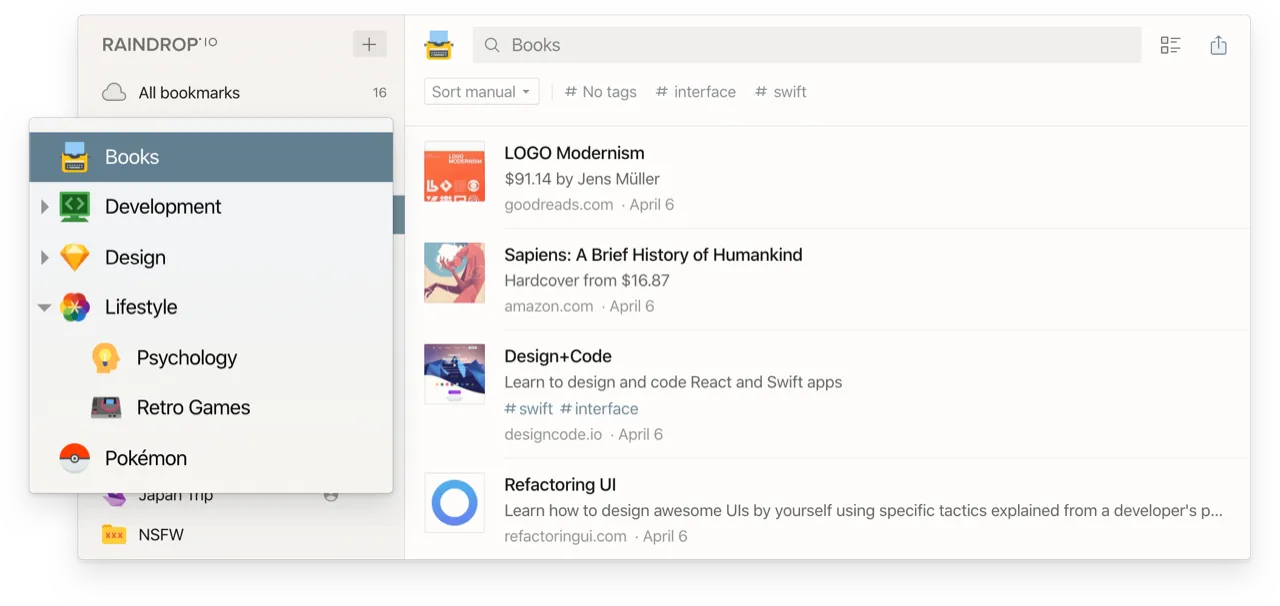
Raindrop.io is a bookmark manager first, Chrome extension second. It works across every platform (iOS, Android, Mac, Windows, Linux, web), supports nested collections, tags, full-text search, and AI-powered search on the Pro plan ($3/month). With 300K+ users and notably few complaints in reviews, it's the most polished tool in this roundup.
But it's not really a tab manager. Raindrop.io saves links — it doesn't manage live browser tabs, switch workspaces, or track your current sessions. If you want a cross-platform bookmark system with excellent search, it's the best option. If you want to organize what's open in Chrome right now, it's the wrong tool.
Best for: Researchers, knowledge workers, and anyone who saves hundreds of links and needs to find them across devices.
BrainTool — 10K Users
BrainTool takes a unique approach: it uses org-mode (a plain-text outline format popular with Emacs users) to create hierarchical topic trees that combine tabs, bookmarks, and notes. The 4.72 rating suggests a devoted niche audience.
The audience really is niche. If “org-mode” means nothing to you, BrainTool will feel alien. If you already think in outlines and hierarchies, it's probably the most intellectually satisfying tool in this list. Limited to Chrome, no mobile app, small community.
Best for: Developers and researchers who think in hierarchical outlines and want their browser tabs to reflect that mental model.
How Do Features Compare Across All 14 Extensions?
Here's how the 14 extensions stack up on the five criteria that matter most:
Cloud sync: Workona (yes, but unreliable per reviews), Raindrop.io (yes, excellent), Leap (yes, local-first), Tab Session Manager (yes, via cloud), Side Space (yes), VertiTab (yes), OneTab (optional, end-to-end encrypted). The other 7 extensions have no sync at all.
Workspace/spaces: Workona, Toby, Leap, Side Space, GeekTabs. Five out of 14.
AI features: Side Space (auto-grouping), Tabrr (ChatGPT widget), VertiTab (grouping). Most are experimental or unreliable. Leap has none — it focuses on saved tabs and spaces.
Free plan usability: OneTab, Session Buddy, TABLERONE, Tab Session Manager, Tabli, BrainTool, GeekTabs, and Leap are completely free. Workona limits to 5 workspaces. Toby limits to 60 tabs.
Active development (2025-2026 updates): Leap, Raindrop.io, Side Space, VertiTab. The rest show infrequent or no recent updates.
Which Tab Manager Should You Actually Choose?
Skip the session savers if you want to actually organize your work. OneTab and Session Buddy are useful as backup tools, but they're not workflow tools. Install Session Buddy for crash recovery, then pick a workspace manager for daily use.
If you need team collaboration, Workona is your only real option despite its price and reliability concerns. No other extension offers shared workspaces with role-based access.
If you want bookmark management across platforms, Raindrop.io is the clear winner. It's not a tab manager, but it's the best at what it does.
If you want Arc Browser-style spaces inside Chrome with saved tabs that stay, cloud sync, and active development, that's what I built Leap to do. Everything is free and there is no sign-up, so trying it costs you a minute to see if the sidebar workflow fits how you think.
If you want a free, privacy-first session saver with great design, try TABLERONE. Keep your tab count under 200 and export regularly as backup.
If you just need to find a specific tab fast, Tabli does that better than anything else with minimal overhead.
What Market Gap Has Nobody Filled?
After testing all 14 extensions, one gap stands out: nobody combines reliability, modern design, cloud sync, and fair pricing in a single tool. OneTab is reliable and now syncs, but it is still a list. TABLERONE is beautiful but crashes at scale. Workona has sync but loses data. The extensions with millions of users haven't been meaningfully updated in years.
The tab manager space has millions of users stuck between “good enough” and “broken.” Chrome's own tab groups helped, but they disappear when you close a window and don't sync across devices. The extension that finally gets reliability + sync + design right will own this market.
That's why I built Leap. Whether it succeeds is up to users, but the opportunity is real — OneTab's users still have no workspaces and no sidebar, just a list on a separate page.
Frequently Asked Questions
What is the best free tab manager for Chrome in 2026?
For session saving, OneTab is the best-known free option — one click collapses all tabs into a list. For tab search, Tabli is a well-rated free manager. For workspace organization, GeekTabs offers free hierarchical spaces. TABLERONE provides the best visual design for free session management.
Which Chrome tab manager has cloud sync?
Workona, Raindrop.io, Leap, Side Space, VertiTab, and Tab Session Manager offer cloud sync, and OneTab has since added optional end-to-end encrypted sync between devices. Leap uses a local-first sync model where all changes happen instantly in the browser and sync to the server in the background.
Can a Chrome extension replace Arc Browser's sidebar?
Leap is specifically designed to bring Arc Browser's workspace model to Chrome. It uses the Chrome Side Panel API to create a persistent vertical sidebar with color-coded spaces, saved tabs that stay after you close them, nested folders, and pinned daily sites. Two shortcuts: Alt+S opens the sidebar, Alt+Shift+S saves the current tab.
Are tab manager extensions safe to use?
Check the permissions each extension requests — fewer is better. Extensions that require “read and change all your data on all websites” need a good reason. Look for active development and Manifest V3 support, which Chrome now requires for security improvements.
How many tabs can Chrome handle before it slows down?
Chrome typically stays responsive up to 30-50 tabs on 8 GB of RAM. Past 50 tabs, most users notice slowdowns. Tab managers that suspend inactive tabs or save tabs to a list reduce memory usage. Workspace managers like Leap keep tabs organized without closing them.